学习LLamaIndex第一个程序
一、先安装
pip install llama-index

pip install llama-index-llms-ollama
pip install llama-index-embeddings-ollama
二、开发环境
开一个写代码的工具:
jupyter notebook
也可以使用Pycharm来使用conda环境进行代码的编写:
设置/项目/python 解释器,添加解释器的时候选择conda环境,并选择一个已经存在的环境或者新建环境。
也可以使用VSCode:
# https://code.visualstudio.com/Download
sudo apt install ./xxxx.deb
三、基本概念
LLamaIndex核心概念:
- 数据加载:DataLoaders
- 数据分割:NodeParsers
- 向量索引:VectorIndex
- 集成引擎:QueryEngine
向量数据库:
- ChromaDB
- Mivlus
2.1 ChromaDB
使用十分简单:
import chromadb

client = chromadb.Client()
collection = client.create_collection("docs")
collection.add(ids=["id1"], documents=["This is a document"])
results = collection.query(query_texts=["Find similar docs"], n_results=1)
2.2 Embedding
Ollama
ollama serve

// 使用Ollama原生的REST API
curl http://localhost:11434/api/embed -d '{
  "model": "bge-m3",
  "input": "Does Ollama support embedding models?"
}'
// 返回
{"model":"bge-m3","embeddings":[[-0.026588926,-0.013804924,-0.032380637,.....,0.018297898,-0.034554675,0.0075376146]],"total_duration":1060074189,"load_duration":955242593,"prompt_eval_count":9}


// 使用OpenAI兼容的REST API
curl http://localhost:11434/v1/embeddings -d '{
  "model": "bge-m3",
  "input": "Does Ollama support embedding models?"
}'
// 返回
{"object":"list","data":[{"object":"embedding","embedding":[-0.026588926,-0.013804924,-0.032380637,....,0.026003407,0.018297898,-0.034554675,0.0075376146],"index":0}],"model":"bge-m3","usage":{"prompt_tokens":9,"total_tokens":9}}
四、样例代码
4.1 读文件
from llama_index.core import SimpleDirectoryReader

documents = SimpleDirectoryReader("./data").load_data()

print(f"文档数量: {len(documents)}")
print(documents[0].text[:500]) # 预览前 500 个字符
4.2 构建向量索引并保存
Settings.embed_model = OllamaEmbedding(model_name="bge-m3:latest")
index = VectorStoreIndex.from_documents(
    documents,
    # we can optionally override the embed_model here
    # embed_model=Settings.embed_model,
)
# Save the index
index.storage_context.persist("storage")
$ ll storage/
total 624
-rw-r--r-- 1 xxxx xxxx 481486 Jun  2 21:23 default__vector_store.json
-rw-r--r-- 1 xxxx xxxx 141154 Jun  2 21:23 docstore.json
-rw-r--r-- 1 xxxx xxxx     18 Jun  2 21:23 graph_store.json
-rw-r--r-- 1 xxxx xxxx     72 Jun  2 21:23 image__vector_store.json
-rw-r--r-- 1 xxxx xxxx   2095 Jun  2 21:23 index_store.json
4.3 加载向量,根据大模型生成查询引擎
from llama_index.core import StorageContext, load_index_from_storage

Settings.llm = Ollama(model="llama3.1", request_timeout=360.0)

storage_context = StorageContext.from_defaults(persist_dir="storage")
index = load_index_from_storage(storage_context)

query_engine = index.as_query_engine(
    # we can optionally override the llm here
    # llm=Settings.llm,
)
4.4 构建查询的workflow
def multiply(a: float, b: float) -> float:
    """Useful for multiplying two numbers."""
    return a * b


async def search_documents(query: str) -> str:
    """Useful for answering natural language questions about an personal essay written by Paul Graham."""
    response = await query_engine.aquery(query)
    return str(response)


# Create an enhanced workflow with both tools
agent = AgentWorkflow.from_tools_or_functions(
    [multiply, search_documents],
    llm=Settings.llm,
    system_prompt="""You are a helpful assistant that can perform calculations
    and search through documents to answer questions.""",
)
4.5 调用workflow进行查询
async def main():
    response = await agent.run(
        "What did the author do in college? Also, what's 7 * 8?"
    )
    print(response)

if __name__ == "__main__":
    asyncio.run(main())
$ python ./run.py

The author attended Harvard, where they took a painting class with Idelle Weber, an early photorealist. After high school. The result of 7 * 8 is 56.
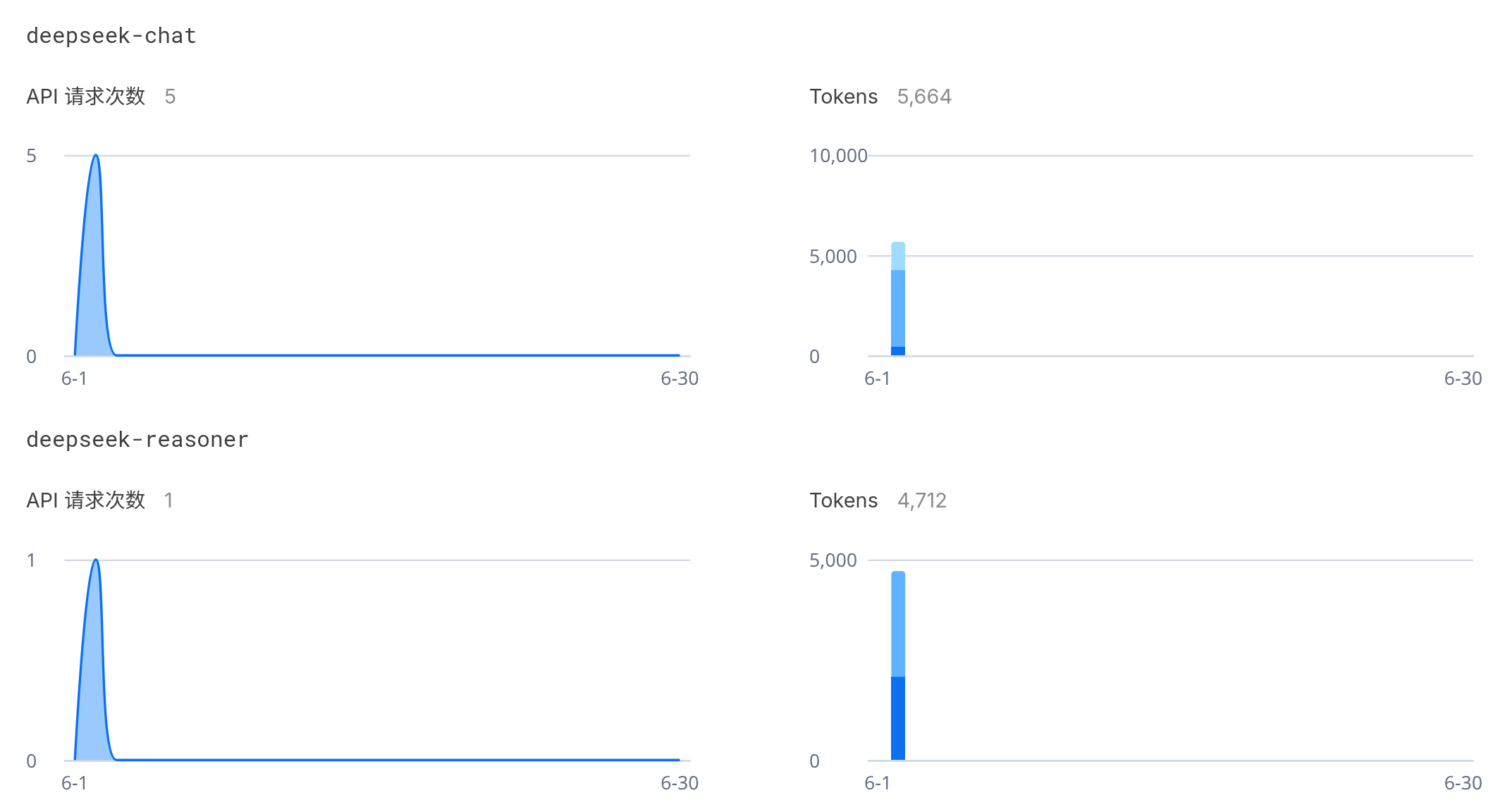
五、调用的DeepSeek情况
 ![[Pasted_image_20250602213511.png]]