使用Hugging Face的模型进行语音识别
conda create -n transformers_env
conda activate transformers_env
conda install transformers
查看下Pytorch的安装需求,支持Cuda版本12.2以上:
nvidia-smi

NVIDIA-SMI 535.216.01             Driver Version: 535.216.01   CUDA Version: 12.2
 ![[Pasted_image_20250518231307.png]]
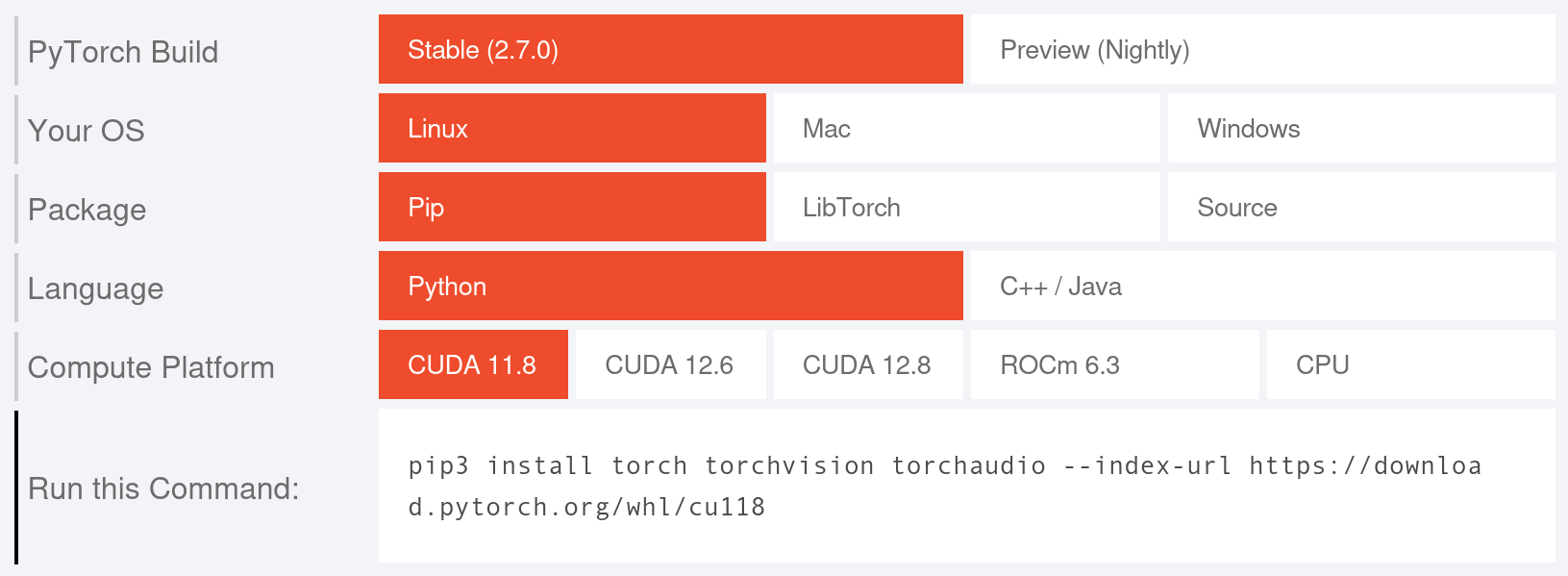
上次升级驱动版本,导致无法登陆,这次换xfce后,windows manager已经换了,下次升级下驱动和cuda tools再试试。本次就直接使用Cuda 11.8。
安装Pytorch 2.7
// conda环境下:

pip3 install torch torchvision torchaudio --index-url https://download.pytorch.org/whl/cu118
准备HuggingFace的脚本:
// cat run.py
from transformers import pipeline

transcriber = pipeline(
  "automatic-speech-recognition",
  model="BELLE-2/Belle-whisper-large-v3-zh-punct",
  return_timestamps=True
)

transcriber.model.config.forced_decoder_ids = (
  transcriber.tokenizer.get_decoder_prompt_ids(
    language="zh",
    task="transcribe"
  )
)

transcription = transcriber("/home/xxxxxx/workdir/git/work/whisper.cpp/models/sounds/20250513_175944.wav")
print(transcription["text"])
这个版本BELLE-2/Belle-whisper-large-v3-zh-punct大概6.17G。
python run.py

// torch.OutOfMemoryError: CUDA out of memory.
只能找个小的版本:
BELLE-2/Belle-whisper-large-v3-turbo-zh:3.24G大小。
这个版本效果稍好,仍然不能满意:( 下次用个24G的显卡或者CPU的版本试试效果。
注:下面是一些其他配置
HuggingFace的模型存储位置修改:
缺省位置:~/.cache/huggingface/hub
ll ~/.cache/huggingface/hub
total 8
May 18 21:49 models--BELLE-2--Belle-whisper-large-v3-turbo-zh
May 18 20:47 models--BELLE-2--Belle-whisper-large-v3-zh-punct
修改缓存位置方法:
Shell 环境变量(默认): HUGGINGFACE_HUB_CACHE 或 TRANSFORMERS_CACHE 。
Shell 环境变量: HF_HOME 。
Shell 环境变量: XDG_CACHE_HOME + /huggingface 。

实际使用中,transformer库首先检查HUGGINGFACE_HUB_CACHE是否被设置,如果没有,再按照上述的优先级顺序检查其他环境变量。

一般更改 HF_HOME
vim ~/.bashrc

export HF_HOME="/path/to/you/dir"
清理缓存模型文件:
pip install huggingface_hub["cli"]

huggingface-cli delete-cache
保存模型文件:
from transformers import AutoTokenizer, AutoModelForSeq2SeqLM
tokenizer = AutoTokenizer.from_pretrained("bigscience/T0_3B")
model = AutoModelForSeq2SeqLM.from_pretrained("bigscience/T0_3B")

tokenizer = AutoTokenizer.from_pretrained("./your/path/bigscience_t0")
model = AutoModel.from_pretrained("./your/path/bigscience_t0")